Essentials to know
- One grey checkmark indicates your message has been sent from your cell phone but hasn’t yet been delivered to the recipient, often due to poor cell service, phone off, or network issues.
- Two grey checkmarks mean the message has arrived on the recipient’s device, while two blue checkmarks indicate it has been read.
- A single grey checkmark does not automatically mean you’re blocked; other signs include an inability to see “last seen” times, profile updates, or make calls.
- Read receipts (double blue checkmarks) can be toggled off in WhatsApp Business privacy settings, though turning them off also stops you from seeing read receipts from customers.
- For group chats, double blue checkmarks only appear once every participant in the group has read the message; no checkmarks usually indicate a network connection issue.
Only seeing one checkmark on your WhatsApp message rather than two generally means your message has left your cell phone and reached WhatsApp servers, but has not reached the recipient’s phone yet. In Canada, clients, contractors, or suppliers might be traveling through a rural dead zone, working in a remote area, on a flight, or simply have their cell phone turned off. Don’t panic just yet – there’s a simple explanation for how checkmarks and colors work on WhatsApp!
The double checkmark system is useful for Canadian small business owners, service providers, and freelancers because you can see the delivery status of every message at a glance on WhatsApp Business. It’s a handy feature that helps manage expectations when communicating with clients on the go. With read receipts, your customers can see whether you’ve had a chance to open their message or quote request. For businesses, this is particularly helpful during stat holidays or outside normal business hours.
In short, both WhatsApp Messenger and WhatsApp Business use the Read Receipt system to show when your message has been delivered and whether the recipient has read it. Whenever you send a message, you’ll see checkmarks appear next to it. By paying attention to the number and color of these checkmarks, you can figure out what’s happening with your message. Let’s focus on the single grey checkmark and what it means for your business communications.
So, how do you decode checkmarks on WhatsApp Business? Let’s take a closer look at single checkmarks, double checkmarks, and what it means if you don’t see any checkmarks next to your message on WhatsApp.
What does a single grey checkmark mean on WhatsApp?
One grey checkmark means the message has been successfully sent from your cell phone, but hasn’t been delivered to the other person’s device yet. You can think of it as being “in transit.” If the recipient is out of cellular coverage range or has their phone switched off, a single grey checkmark can remain for hours.
There are many reasons why you might see a single grey checkmark, such as poor mobile coverage or Wi-Fi on the recipient’s end, a dead phone battery, or the contact being logged out of WhatsApp.
Does one grey checkmark on WhatsApp mean I’m blocked?
One grey checkmark can mean you’ve been blocked by the recipient, but that isn’t always the case. There are several reasons why your message may only show one grey checkmark.

If a contact has blocked your number, you will only ever see one checkmark (meaning the message was sent from your phone) and never a second checkmark (meaning it was delivered).
WhatsApp will not send you a notification if a user blocks your line, but there are a few telltale signs. If you can no longer see their online or “last seen” status, their profile picture stops updating, and your WhatsApp voice calls won’t connect, your number may be blocked. WhatsApp deliberately makes this ambiguous to protect user privacy.
What is the difference between one grey checkmark and two on WhatsApp?
One grey checkmark means the message has been successfully sent from your phone, while two grey checkmarks indicate that it has landed on the recipient’s cell phone or any of their linked desktop devices.

What does two blue checkmarks mean on WhatsApp?
Two blue checkmarks mean the message has been received and opened by the other person.
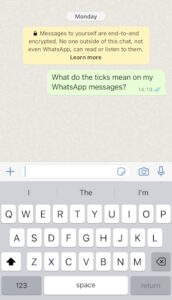
My contact has read the message but the double checkmarks are still grey – why is this?
If the recipient has Read Receipts turned off in their privacy settings, the two checkmarks will remain grey even after they open and read your message.
What does one grey and one blue checkmark mean on WhatsApp?
Technically, you should never see one grey and one blue checkmark together. Both checkmarks are designed to turn blue simultaneously as soon as the message is opened.
If you consistently see one grey and one blue checkmark in WhatsApp, it indicates a display glitch – try updating your app or contacting WhatsApp support.
How do I turn off double checkmarks on WhatsApp Business?
We get it – when you’re busy on a job site or running your business, you don’t always want clients seeing the exact moment you open their message. While you can’t remove checkmarks entirely, it is simple to turn off double blue checkmarks on WhatsApp Business.
Go to your WhatsApp settings, select Privacy, and toggle off Read Receipts. Your checkmarks will now stay grey even after you read incoming client messages.

Keep in mind that if you disable read receipts, you also won’t be able to see double blue checkmarks when other people read your 1-on-1 messages. Note that in group chats, read receipts are always enabled regardless of this setting.
Should I turn off read receipts on WhatsApp Business?
For most Canadian small businesses, we recommend keeping them on. While turning off blue checkmarks gives you breathing room before replying, transparency builds trust with clients who expect quick turnarounds.
A huge advantage WhatsApp Business has over traditional email is the direct, personal connection it provides. When a client sees those double blue checkmarks, they know a real person has seen their inquiry, which reinforces your reliability.
If you see a message while working but can’t type out a full response immediately, use Quick Replies or Away Messages to automatically acknowledge the client and let them know when you’ll be back in touch.
How do double blue checkmarks work in group messages?
When you send a message in a group chat, the double checkmarks will only turn blue once every single participant in the group has opened the message.
What does it mean if I don’t have any checkmarks next to my WhatsApp message?
If no checkmarks appear next to a message, it hasn’t left your cell phone yet. This is almost always caused by a poor Wi-Fi or mobile data connection. Check your phone’s network connectivity and try resending the message.
Understanding the read receipt system helps you keep on top of customer service without second-guessing your communications. If you want to manage work chats professionally on your existing smartphone without buying a second cell phone, set up WhatsApp Business alongside your personal account. With a dedicated virtual number for WhatsApp Business from YourBusinessNumber, you can keep work and personal chats completely separate on one phone!