Table of Contents
Essentials to know
- True “dumb” phones cannot run WhatsApp: Traditional calls-and-texts cell phones and older KaiOS devices no longer support the app.
- “Semi-smart” Androids are the best workaround: To avoid smartphone distractions while keeping WhatsApp, opt for basic Android devices, Android flip phones (like the Cat S22), or small-screen minimalist phones.
- WhatsApp Business requires full smartphone hardware: The Business app won’t run natively on basic feature phones – you need a supported Android/iOS device or a linked desktop setup.
- Adopt the “Hybrid Strategy”: Keep your workday distraction-free by using a basic phone for personal calls while running WhatsApp Business on a stripped-back smartphone or PC.
- Protect your privacy with a virtual number: Use a dedicated virtual line (like YourBusinessNumber) to keep your personal cell phone number hidden and maintain clear work-life boundaries.
A few years ago, buying a “dumb” phone that you could use with WhatsApp was much easier. You could pick up a simple 4G feature phone, often running KaiOS, and still use WhatsApp for everyday messages. However, in 2026, the situation is different.
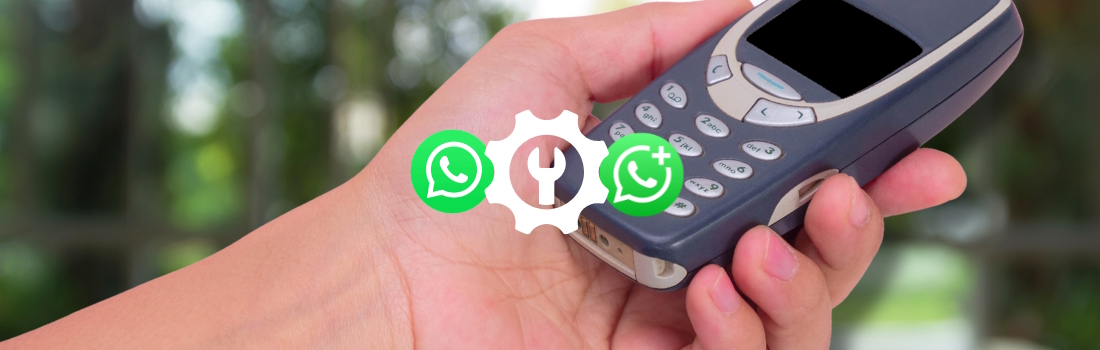
Most traditional dumb phones cannot run WhatsApp. The very basic handsets that are great for calls, texts, long battery life, and fewer distractions usually do not support modern apps. Older KaiOS phones, including some Nokia-style feature phones, used to be the main workaround, but WhatsApp is no longer supported on KaiOS.
That matters for small business owners. You may want a simpler phone so you are not constantly distracted, but you may still need WhatsApp for customer inquiries, bookings, quotes, order updates, and supplier messages.
So, can you actually go “dumb” without losing WhatsApp Business? The honest answer is: yes, but only if you choose the right setup.
Can a dumb phone actually run WhatsApp?
A true dumb phone usually cannot run WhatsApp.
By “true dumb phone,” we mean a basic cell phone designed mainly for calls and SMS text messages. These phones often have physical buttons, small screens, long battery life, and very limited app support. They’re useful if you want fewer distractions, a backup phone, or a simple work phone, but they are not designed for WhatsApp.
WhatsApp now requires a supported Android or iOS device. That means the best option is usually not a classic dumb phone, but a “semi-smart” phone. These are devices that look and feel simpler than a modern smartphone, but still run a basic version of Android or support enough apps for WhatsApp to work.
In simple terms:
- A basic calls-and-texts phone is best for disconnecting, but not for WhatsApp.
- A KaiOS feature phone is no longer a reliable WhatsApp option.
- A basic Android phone is usually the safest route if you need WhatsApp.
- A minimalist smartphone setup may be the best option for WhatsApp Business.
KaiOS vs. basic cell phones: what is the difference?
KaiOS was once the secret behind many WhatsApp-friendly dumb phones. It powered smart feature phones with physical buttons, 4G, Wi-Fi, and a small app store. For a while, that made it a useful middle ground. You could get a phone that felt basic, but still access WhatsApp, Google Maps, and a few other tools. However, WhatsApp support for KaiOS has ended, so these devices are no longer a suitable choice if WhatsApp is essential to your business.
Basic cell phones are even more limited. They may offer calls, SMS, a camera, flashlight, radio, and maybe Bluetooth, but they usually will not run WhatsApp at all. That’s why many business owners now choose a different approach: using a simple Android device, removing distractions, and keeping only the apps they genuinely need.
The best dumbphone-style options for WhatsApp in 2026
Instead of looking for a classic dumb phone, look for one of these options:
Basic Android phones
A low-cost Android phone is often the most practical choice. You can install WhatsApp or WhatsApp Business, then remove nonessential apps, turn off notifications, and make the home screen as simple as possible. Before buying, check that the phone runs a WhatsApp-supported Android version and has reliable app store access.
Android-based flip phones
Some flip phones run Android, which means they may support WhatsApp. These can be a good option if you want the physical feel of a feature phone but still need app access. Always check the Android version, app store access, and network compatibility before buying.
Rugged Android cell phones
For contractors, field teams, and outdoor workers, rugged Android phones can offer better battery life, tougher casing, and WhatsApp support. They are not true dumb phones, but they can be more practical than a fragile smartphone on the job site.
Minimalist smartphones
This is often the smartest option. Use a standard Android or iPhone, but strip it back. Delete distracting apps, turn on focus modes, use a simple launcher, hide social media, and keep only the tools you need for work.
Backup feature phones
A basic feature phone can still be useful as a backup for calls and texts. However, if you rely on WhatsApp for customer communication, it should not be your primary business phone.
Examples of dumbphone-style devices that may support WhatsApp
Some devices sit in the middle ground between a true dumb phone and a full smartphone. They are not always as distraction-free as a basic Nokia-style phone, but they can offer a simpler experience while still giving you access to WhatsApp. Examples include:
Emporia Touchsmart.2
This is a simple flip phone with Android Go under the hood and WhatsApp support. It is designed more for ease of use than heavy app browsing, making it a useful option for people who want a simpler phone without losing WhatsApp.
TTfone TT970
The TTfone TT970 is another flip-style device that includes WhatsApp support. It is aimed at users who want a simpler phone with big buttons, 4G connectivity, and essential messaging features.
Cat S22 Flip
The Cat S22 Flip is a rugged Android flip phone that may suit contractors, field teams, and tradespeople. It is more smartphone-like than some basic feature phones because it runs Android Go and can access apps, but its small screen and tough design make it less tempting for endless scrolling.
AGM M7
The AGM M7 is a rugged, button-style device with a small touchscreen and a simplified Android-based system. It is designed for durability and basic use, while still supporting selected apps, including WhatsApp on some versions.
Unihertz Jelly Star
The Unihertz Jelly Star is technically a small Android smartphone rather than a dumb phone. However, its tiny screen makes it less appealing for constant browsing, so it can work well for people who want WhatsApp access without the feel of a large modern smartphone.
Please note: device availability, app support, network compatibility, and WhatsApp requirements can change. This information is correct at the time of publication, but you should always check the phone’s operating system, supported apps, network bands, and WhatsApp compatibility before buying.
Can you use WhatsApp Business on a dumb phone?
Usually, no. WhatsApp Business is designed for supported smartphones, and it is rarely available as a native app on basic feature phones. If a phone cannot run standard WhatsApp properly, it is very unlikely to run WhatsApp Business properly.
For small business owners, this is the key point. A dumb phone might help you avoid distractions, but it can also make customer communication harder if WhatsApp is where your leads and messages arrive.
If you use WhatsApp Business for quotes, bookings, orders, product questions, delivery updates, or customer service, you will usually need one of the following:
- A supported smartphone for WhatsApp Business
- A basic Android device with WhatsApp Business installed
- A desktop setup using WhatsApp Business Web or the Desktop App
- A linked-device setup, where your main account stays active on a supported phone
This is where the hybrid strategy works best.
The hybrid strategy: go minimalist without losing customers
Going “dumb” does not have to mean disappearing from WhatsApp. A hybrid setup gives you fewer distractions without cutting off customer communication. For example, you might use a simple personal phone for calls and texts, a separate business number for WhatsApp Business, and focus modes or app restrictions to help limit distractions.
WhatsApp’s linked-device and multi-device features can also support a more flexible setup. For example, you may keep WhatsApp Business active on a supported smartphone or desktop, while using a simpler phone for calls and texts when you want fewer distractions. The key is not to rely on a true dumb phone as your only WhatsApp Business device.
This gives you the best of both worlds. You can reduce screen time, protect your personal number, and keep customer messages in one place.
With YourBusinessNumber, you can set up a dedicated number for WhatsApp Business without handing out your private cell phone number. That means your business communication stays separate, even if you choose a simpler personal phone.
Why business owners are switching back to simpler phones
For many small business owners, the appeal of a dumb phone lies in control and efficiency. Smartphones are useful, but they are also distracting, with customer messages, personal chats, social media, calendar reminders, and news updates all coming through to the same place. No wonder it’s difficult to disconnect!
A simpler phone setup can help you enjoy fewer distractions, clearer work-life boundaries, less doomscrolling between jobs, and a more focused workday.
The challenge is keeping the useful parts of your smartphone setup, especially WhatsApp Business, without keeping all the distractions.
Digital detox for entrepreneurs
In the US, many entrepreneurs are interested in dumb phones because they want fewer distractions without losing customers.
If WhatsApp is part of your sales workflow, a true dumb phone may be too limited. Instead, a basic Android phone or stripped-back smartphone can work better. You can keep WhatsApp Business, your calendar, and essential work tools, while removing the apps that drain your attention.
Carrier compatibility also matters. Many older 2G and 3G phones no longer work on major US networks, so unlocked feature phones must be checked carefully before buying. Look for 4G LTE, VoLTE, and support for your carrier’s network bands.
For contractors, field teams, and busy founders, rugged Android cell phones can be a strong option. They feel more hardworking than premium smartphones, but still let you use WhatsApp Business when a lead needs a fast reply.
The smarter way to go dumb with YourBusinessNumber
If you want a simpler phone setup, you don’t need to lose WhatsApp Business.
YourBusinessNumber helps you create a cleaner separation between your personal life and customer communication. You can get a second number for WhatsApp Business, keep your personal number private, and choose the device setup that works best for you.
That might mean using WhatsApp Business on a basic Android phone. It might mean keeping a smartphone only for work. It might mean using WhatsApp Business Desktop for customer admin while your personal phone stays distraction-free.
The important thing is that your business number stays dedicated to your business.
Going dumb should not mean missing leads, losing customers, or making your business look less professional. With the right setup, you can reduce distractions, protect your privacy, and keep your customer communication running smoothly.
Ready to simplify your phone setup? Get your new virtual number for WhatsApp or WhatsApp Business today.
Author:

George Lineker
Get A Virtual Number Now!
Receive your number for WhatsApp verification in just 3 clicks!